SWApp
Mobile
A mobile application that encourages students to participate in school waste segregation activities through engaging interactions and rewards.
The problem, the goal, and what success looks like
Traditional waste segregation activities in schools are manual, hard to track, and often fail to engage students.
Create a fun and simple mobile app that motivates students to participate while helping schools track and reward actions.
Success criteria
- Easy onboarding and navigation
- Clear and engaging user experience
- Encourage participation and consistency
- Easy tracking for teachers and parents
Two audiences, kept in sync
Students need it to feel like a game. Parents and teachers need it to feel like a reliable record.
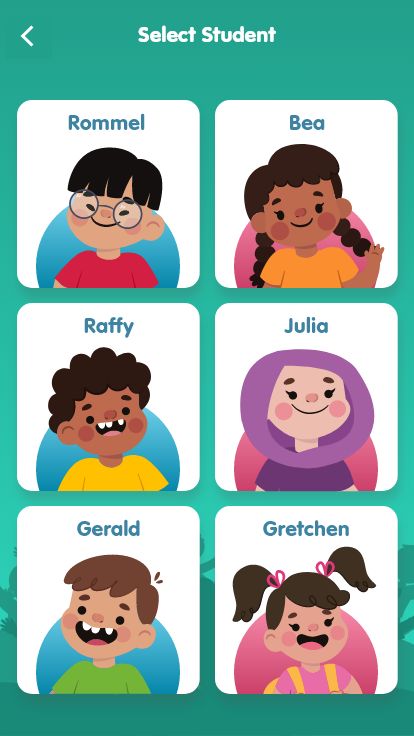
Students
Participate easily and learn so grades school below can participate.
Confusing flows, low motivation, unclear instructions.
Parents / Teachers
Monitor activities, participation, track progress.
Hard to monitor, time-consuming processes.
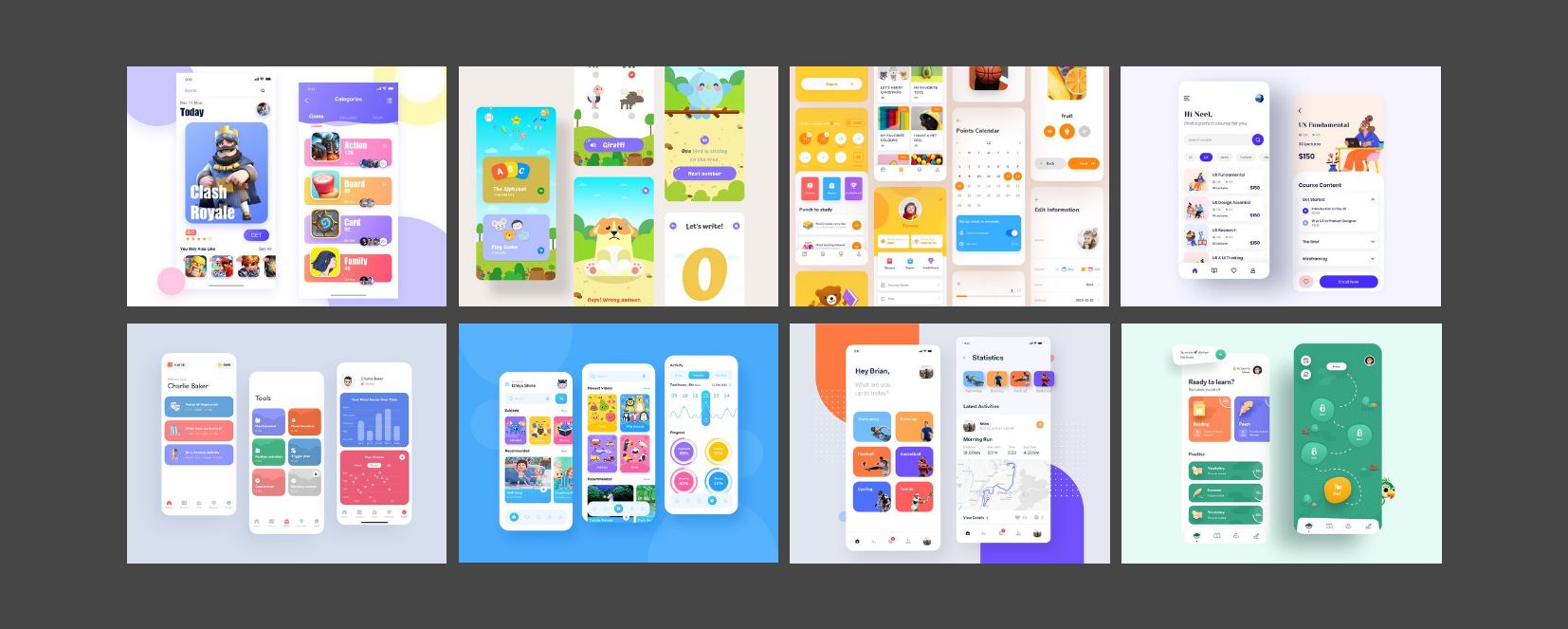
Competitive research & design exploration
Reviewing similar student-facing and reward-based apps before defining a direction.
Key findings
- Bright and friendly visuals increase engagement.
- Card-based layouts improve readability.
- Gamification and rewards drive motivation.
- Simple navigation reduces user confusion.
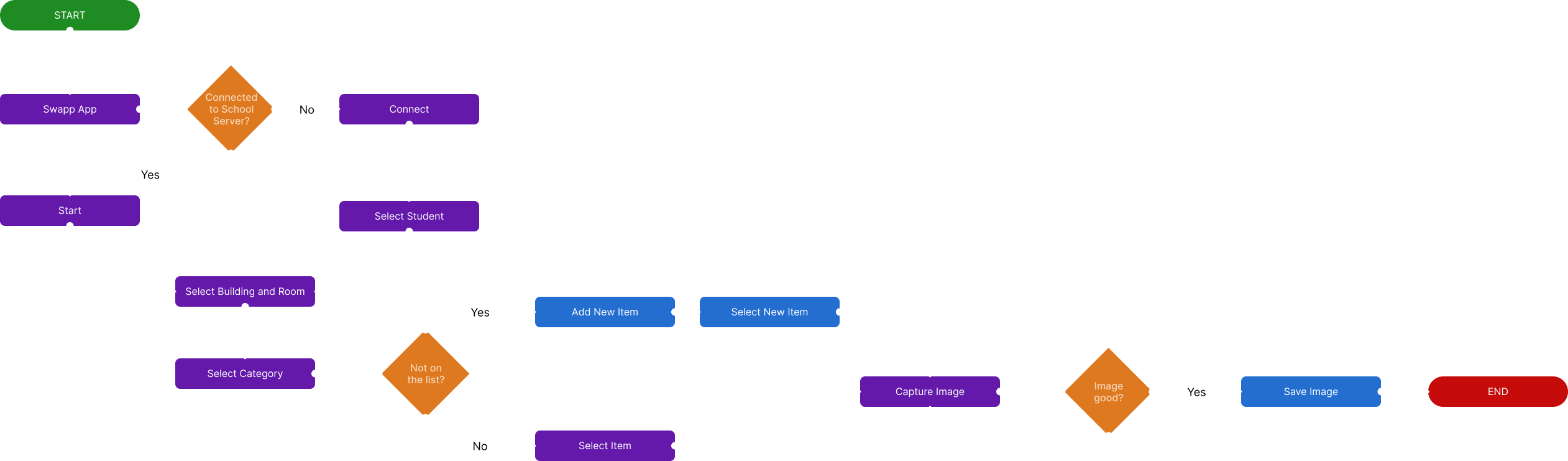
Mapping for the better experience
The user flow was designed to minimize steps and make participation quick and rewarding.
Project timeline
Research & Problem Definition
Competitive Analysis & User Flow
Wireframes & Iteration
UI Design & Prototyping
Feedback & Refinement
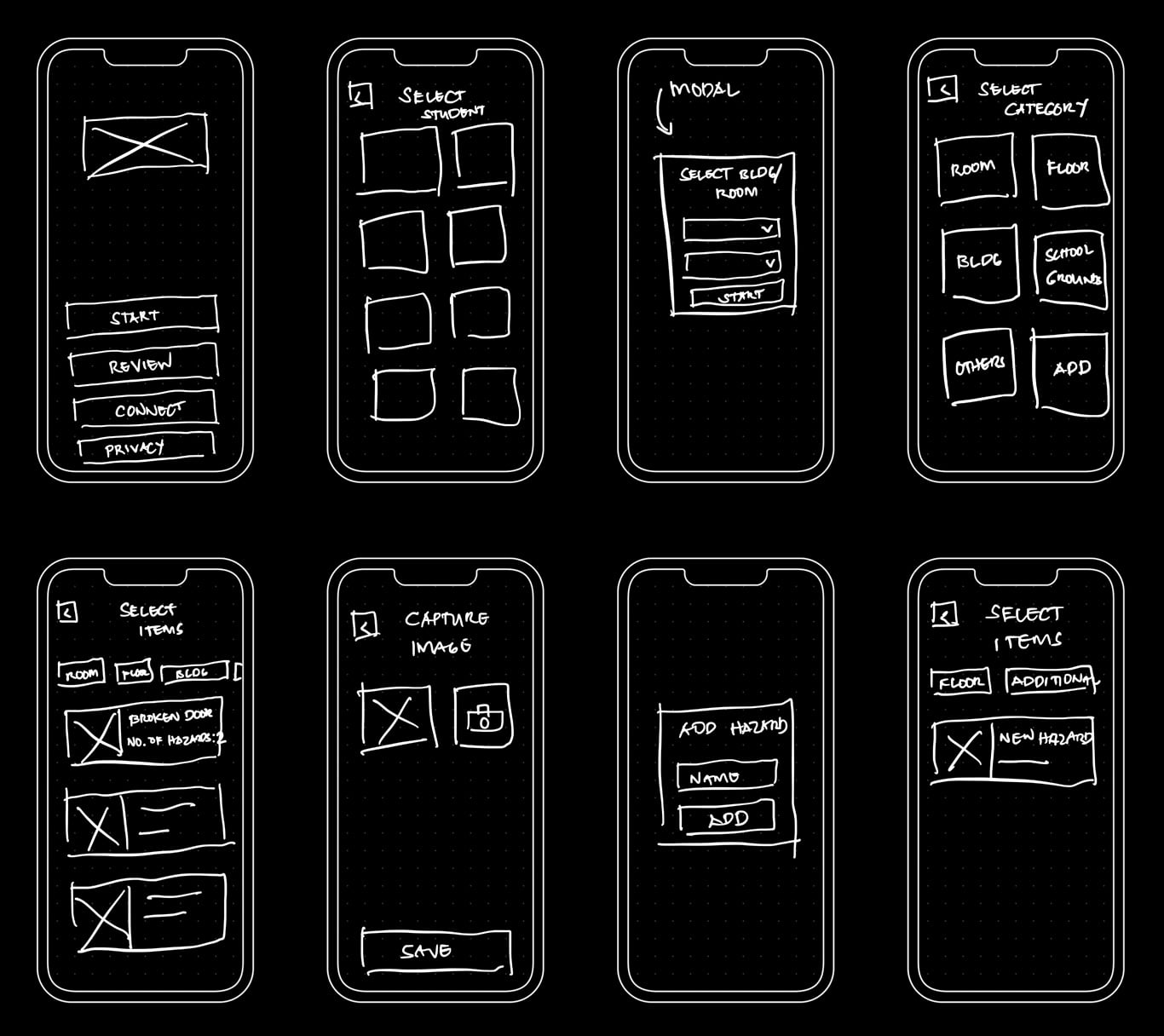
From early wireframes to final decisions
Friendly visual language
Bright colors, illustrations, and rounded elements create a welcoming feel.
Simplified navigation
Key actions are easy to find and accessible with minimal taps.
Reward visibility
Progress, points, and achievements stay visible to motivate participation.
Consistent patterns
Buttons, cards, and interactions behave the same way throughout.
Accessibility first
Large touch targets, readable text, and strong contrast for all users.
Product screens — final design
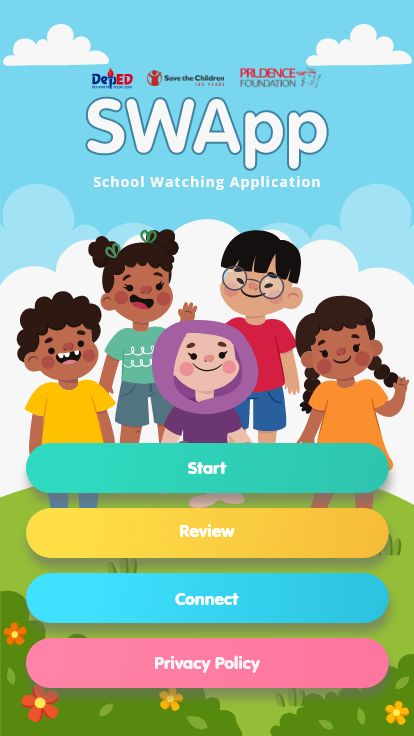
Onboarding
Simple onboarding introduces the app and its purpose.
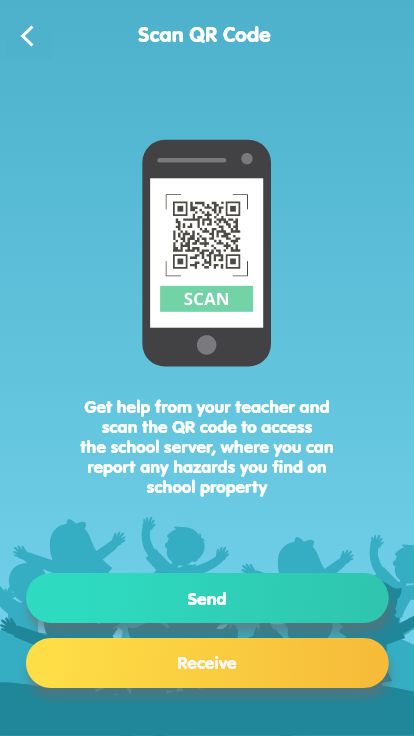
Scan & Participate
Quick QR scanning makes participation easy and fast.
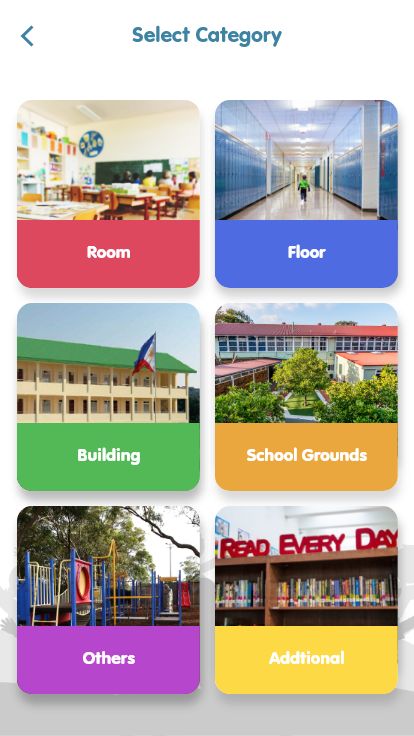
Categories
Overview of parts or section of the school where you find issues.
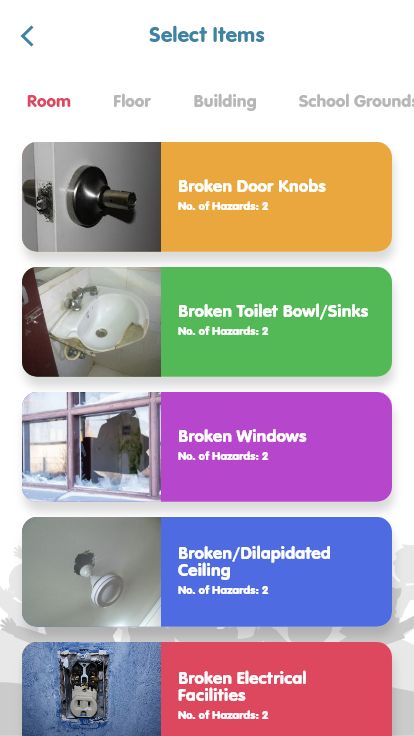
Subcategories
Listed some areas of the selected main category.
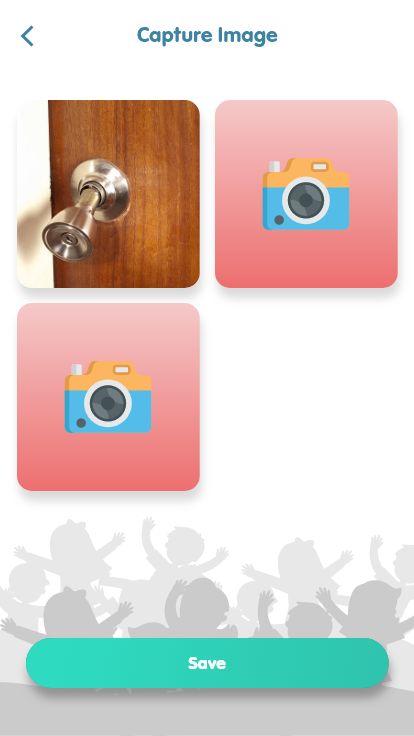
Captured Images
View of images captured and saved for review.
Profile
Manage personal info, settings, and preferences.
Results, reflection, and the prototype
Results & outcomes
- Created a clearer, more enjoyable experience for students
- Simplified participation flow with fewer steps
- Established consistent UI patterns and components
- Encouraged engagement through rewards and gamified elements
- Delivered a responsive and accessible mobile app
This project reinforced the importance of designing for younger audiences through simplicity, fun visuals, and clear interactions.
If revisiting this project, I would conduct usability testing with students and teachers to validate assumptions and further improve the experience.
Watch Promo Video
A showcase of SWApp’s capabilities in improving student safety and engagement within school environments.
Other projects
Like what you saw?
I'm always open to new opportunities and exciting collaborations.